Celery creates four different blockage patterns
A stalk can create a wrap around an auger or gear, a bridge above the extraction chamber, a mat across screen mesh, or a compacted plug at the pulp exit. Those failures feel similar at the feed chute but require different inspection. A powerful motor cannot solve a closed outlet or a screen sealed with wet fiber. Continuing to feed only adds pressure and material.
Learn the normal movement of juice and pulp during a simple batch. When either stream changes sharply, stop adding ingredients. The safest early response is observation, not force.
Long fibers are the primary mechanical challenge
Celery's structural strands can remain connected across a large section of stalk. In a conventional auger machine, those strands may wind around the rotating component or collect where pulp changes direction. Cutting across the fibers into model-approved shorter pieces limits the length entering at one time.
Do not choose an arbitrary universal size. The approved dimensions, orientation, and loading method depend on the throat, hopper, auger, gear set, screen, outlet, and safety system. Follow the exact manual even when another machine appears similar.
Watch for warning signs before a full stall
A pulp stream that thins or stops, juice flow that falls unexpectedly, produce that rises instead of descending, repeated clicking, a changed motor note, or liquid appearing where it should not can signal restriction. Stop feeding immediately. A machine that continues running is not proof that the pulp path is clear.
Turn the controls only as the manual permits. Stop and unplug for unusual grinding, electrical odor, smoke, heat, leaking near the base, a damaged cord, cracked parts, or a safety lock that will not engage. Those are not ordinary celery-preparation issues.
Reverse is model-specific, not a universal cure
Some auger juicers document a brief reverse cycle for normal ingredient backup. If the manual provides that sequence, release the control as directed, allow moving parts to stop where required, and use reverse for the stated interval. Never rock controls rapidly or repeat the cycle indefinitely.
If normal flow does not return, power off and unplug. A packed screen, blocked outlet, misinstalled cap, or wrapped fiber may require disassembly. Twin-gear, pressure-adjusted, and batch-hopper systems have their own release steps; borrow none from a different model.
A closed pulp outlet can mimic an auger jam
Pulp must leave at roughly the pace material enters. A narrow outlet, pressure component, celery end cap, seal, or front housing can collect stringy pulp. On adjustable systems, the correct component and setting matter. More resistance is not automatically more yield, and tightening a pressure control to chase a drier pulp can create excess backup.
Inspect and clean the outlet according to the manual. Never insert a tool into a powered machine. Use only the supplied cleaning tool or a non-damaging approved brush after power-off and disassembly.
Screen buildup changes both flow and texture
Fine celery particles can cover screen openings while long fibers remain at the edges or channels. As open area falls, liquid moves more slowly and wetter material stays inside the housing. The symptom may look like low yield, unusually wet pulp, thick juice, leaking, or a clog near the outlet.
Rinse and brush the screen from approved directions before residue dries. Do not use sharp metal picks that can enlarge or damage mesh. Inspect the screen for cracks, distortion, and embedded debris before reassembly.
Overloading defeats wide hoppers too
A large self-feeding hopper reduces active loading for compatible prepared produce, but celery pieces can still align, twist, or bridge. Packing a bowl tightly can prevent individual pieces from settling into the processing path. Follow the fill line, piece-size rule, ingredient order, and lid-lock guidance for the exact model.
Start with a smaller ordinary load while learning how the hopper handles celery. Batch convenience is useful only when the user can still observe output and stop before a restriction becomes severe.
Alternating produce can help only within the manual
Some users alternate celery with firmer or higher-moisture supported ingredients to keep the feed varied and move residual material. That can be practical in mixed recipes, but it is not a way to ram a blockage through. If pulp has stopped or the machine has stalled, adding an apple, carrot, or cucumber increases the load rather than diagnosing it.
Use ingredient alternation as a planned feeding method while the machine operates normally. When flow changes, stop and follow the documented jam procedure.
Disassemble a stopped machine in the right order
Switch off, unplug, wait for moving parts to stop, release any outlet pressure as directed, and support the housing or bowl during removal. A compacted chamber can hold residual pressure or feel unusually tight. Do not pry, strike, twist with tools, or force a safety lock.
Remove the approved food-contact parts in sequence, place them on a stable surface, clear loose pulp, and inspect the cap, screen, auger or gears, seals, bowl, feed throat, and outlet. If a part will not release through the manual's steps, contact the manufacturer rather than escalating force.
Clean the whole fiber path after a clog
A visible plug is often only part of the buildup. Clear the feed throat, auger grooves or twin-gear teeth, both sides of the screen, housing channels, pressure components, seals, pulp outlet, and containers. Keep the powered base dry and wipe it only as directed. Wash or brush with products approved by the model manual.
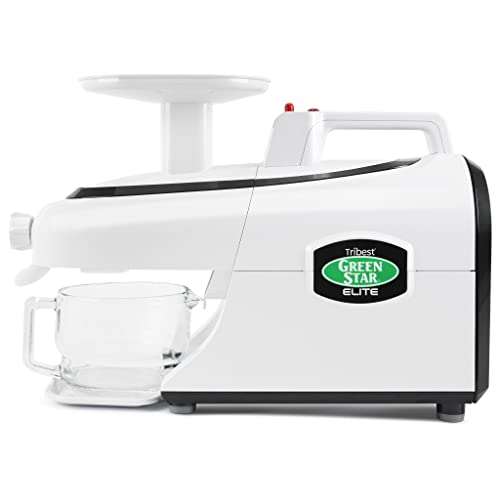
Dishwasher safety varies. Tribest currently distinguishes Elite and Pro removable parts from Original and Gold families, which should not be generalized. Confirm each exact part, rack position, temperature, and detergent guidance before using a dishwasher.
Prevent the next clog with one controlled test
After cleaning and correct reassembly, test a modest amount of similarly fresh celery using the manual's cut size and a slower, steadier feed. Keep the pulp exit visible. Record where the slowdown begins, whether a particular cap or screen is installed, and how much material the machine handles before output changes.
Change one variable at a time: piece length, batch size, feed pace, or an approved pressure setting. Do not change everything together or draw conclusions from a single unusually dry or wilted bunch.
Know when preparation is not the problem
Repeated stalls with correct assembly and ordinary prepared produce can indicate a damaged screen, worn component, incorrect seal, obstructed outlet, incompatible part, electrical fault, or service issue. Stop using the machine for grinding, cracks, leaking toward the motor base, burning odor, smoke, persistent heat, damaged wiring, or a safety interlock that behaves abnormally.
Record the full model number, configuration, symptoms, and the steps already tried. Contact the manufacturer or qualified service channel rather than operating around a damaged part.
Final celery clogging checklist
Prevent clogs by washing and inspecting celery, cutting only as the exact manual directs, installing the correct screen or end cap, staging a moderate batch, feeding steadily without force, watching both juice and pulp flow, and stopping at the first meaningful change. Use reverse only through the documented sequence.
For a blockage, power off, unplug, release pressure where required, disassemble without prying, clear the entire fiber path, inspect parts, dry fully, and reassemble correctly. If this routine repeats despite correct use, compare a dedicated celery system, a controlled horizontal auger, or a different pulp-path design instead of accepting chronic stalls.
Sources and further reading
Models relevant to this decision
As an Amazon Associate, we may earn from qualifying purchases.



Frequently asked questions
Why do celery strings wrap around a juicer auger?
The stalk's long structural fibers can remain connected and wind around moving parts. Model-approved cutting across the fibers limits the length entering at one time.
Should I use reverse when celery clogs?
Only if the exact manual provides a reverse procedure. If it does not restore normal flow, switch off, unplug, and disassemble through the documented sequence.
Can I push harder to clear a celery clog?
No. Forcing more material can increase pressure and pack the screen or outlet more tightly. Use only the approved pusher during normal feeding.
Does a wide chute prevent celery clogs?
No. A wide opening can reduce some cutting, but fibers may still bridge, wrap, mat on a screen, or pack the pulp exit.
When should a clogged juicer be serviced?
Stop and seek manufacturer guidance for repeated stalls despite correct use, damaged or cracked parts, grinding, leaks toward the base, burning odor, smoke, persistent heat, wiring damage, or abnormal safety locks.
Final verdict
For why does celery clog a juicer? causes and safe fixes, begin with the safest reversible check described above, change one factor at a time, and stop for model-specific support if the symptom involves damage, leaking, unusual odor, or persistent mechanical trouble.